Plant Identifier & Plant Care
- 4.3
- Rating
- 500.00K
- Installs
- Free
- Price

 Analysis by App-foxy
I reached for Plant Identifier & Plant Care with a simple question in mind: could it help me make better decisions about ordinary houseplants and garden plants, rather than just attach a name to a photograph? After spending time with it, I found an education app that is most useful when identification is only the first step. Its bigger value is the way it brings plant recognition, disease checks, and care guidance into the same mobile visit.
The app is free to start, aimed at Everyone, and available for Android devices running version 8.0 or later. It has attracted over 100 thousand installs and holds a 4.5 average from around 1.7 thousand ratings, which suggests that its straightforward purpose has found a receptive audience. I would not treat those figures as a substitute for testing it with my own plants, but they do make it feel like an established option rather than an experimental download.
How the plant-checking experience works in everyday use
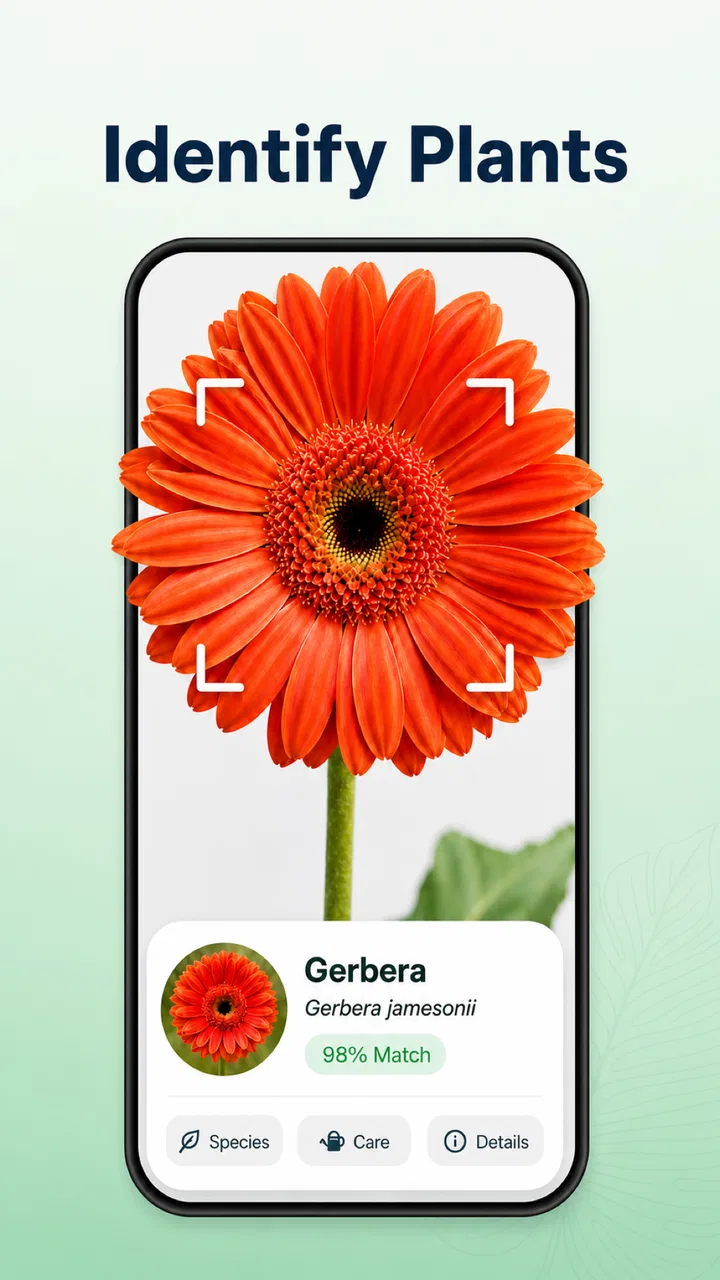
The most natural way to use it is in front of a plant. I take a clear photograph, let the app examine what is visible, and then use the result as a starting point for care. That last part matters. A name can be interesting, but the practical question is usually whether the plant needs more light, a different watering routine, or attention because its leaves look unhealthy.
You May Also Like

 Blood Strike: 2.5 Anniversary
Blood Strike’s Loadouts Turn Every Drop Into a Tactical Gamble
A close look at Blood Strike’s custom loadouts: how fast access to signature weapons reshapes its battle royale rhythm, rewards preparation, and narrows the gap between fights.

 Pandora - Music & Podcasts
Pandora’s Music Is Easy to Start, but Harder to Recover
Pandora’s strength is its low-effort path from a seed to a station. Its weak spot is how much confidence it asks you to place in connection, setup, and quiet recovery.

 8 Ball Pool
 Is Built on Rivalries, Rematches, and Routine
A close look at the rivalries, rematches, shared routines, and unanswered safety questions that turn a quick pool match into a persistent mobile community.

 Samsung Music
’s Quiet Strength Is Playing What You Already Own
Its reach comes less from spectacle than from dependable access to a personal library. That simplicity is both the app’s strongest retention engine and its ceiling.

 AccuWeather: Weather Radar
AccuWeather Review: A Quick, Clear Forecast for Everyday Decisions
For everyday plans, the best forecast is the one you can understand quickly. AccuWeather makes rain timing, radar, and local conditions easy to act on, with a few trade-offs.

 Hill Climb Racing
Why Hill Climb Racing Still Turns Crashes Into One More Run
A tiny car, a bumpy hill and one more upgrade: Hill Climb Racing keeps resurfacing because its simple chaos makes every near-miss feel personal.
More From Our News Desk



In my experience, the quality of the first image has a major effect on how useful the session feels. I get better results when the plant fills most of the frame, the leaves are not hidden behind one another, and the light is even. A close-up of one damaged leaf can be helpful for a disease check, while a full view gives more context for identifying the plant itself. I would take both kinds of photographs instead of assuming one image can answer every question.
This creates one of the app’s less obvious strengths: it encourages a two-stage workflow. First, I use the camera to narrow down what I am looking at. Then I compare the care guidance with the actual conditions around the plant. That prevents a common mistake with identification tools, which is treating a likely label as a complete diagnosis.
The app is particularly approachable for beginners who do not yet know the difference between similar-looking plants. It can also help a more experienced gardener organize a quick first opinion before searching through a gardening book or a specialist forum. I would still use specialist advice for unusual species, serious infestations, or plants with high value, but the app makes the initial investigation faster.
Why the connection matters at the exact moment of identification
Plant recognition is a connected experience in practical terms. When I am standing beside a plant, the useful part of the process depends on getting the image into the app and receiving its analysis. That means a weak mobile signal can turn a quick check into a waiting exercise, especially in a garden, greenhouse, balcony, or allotment where reception may be less reliable than indoors.
I would not open it expecting the same instant response as a basic camera filter. The photograph has to be interpreted, and the care information has to be presented afterward. If the result takes longer than expected, I find it more sensible to keep the plant in view and prepare a second, clearer image rather than repeatedly pressing the same control.
That connected design also changes how I use the app outdoors. At home, I can check a plant while standing near a window and immediately compare the guidance with its surroundings. In a remote garden, I prefer to photograph several angles first, then run the checks when the connection is stable. This is a small habit, but it avoids wasting time trying to diagnose a leaf while holding a phone in an awkward position.
The best results come from treating the app as a visual assistant, not as an unquestionable authority. A connection can deliver an answer quickly, but it cannot correct a poor photograph, identify a hidden root problem from a leaf alone, or understand every detail of the plant’s history.
Using it on a balcony, in a garden, or while shopping
The mobile format makes sense for several everyday situations. Imagine noticing pale spots on a tomato plant during a morning inspection. I can take a close photograph of the affected area, then a wider one showing the plant’s general condition. The first image may help with the visible symptom, while the second gives me a better basis for thinking about whether the issue is isolated or widespread.
A second useful situation is buying a plant at a market or garden centre. If the label is missing or unclear, a photograph can give me a quick clue before I decide where the plant belongs at home. I would not use that result alone to make a purchase, because light requirements and watering habits are important commitments, but it can help me avoid choosing a plant that is obviously unsuitable for the space I have.
For houseplants, I find the app most useful during routine checks rather than emergencies. A weekly look at leaves, stems, and soil conditions gives me time to notice changes. The app can support that observation, but it does not replace the habit of checking whether the pot drains properly, whether the room is too dry, or whether the plant has recently been moved.
Gardeners should also think about framing. A crowded border can confuse any visual identifier because several leaves, flowers, and stems compete for attention. I get a cleaner session by moving close to one specimen and avoiding a background full of similar foliage. When that is impossible, taking a detail photograph is more useful than relying on a distant shot of the entire bed.
What happens when the result is uncertain
One of the most important limitations is that visual identification is inherently dependent on what the camera can see. A young plant may not have its defining features yet. A damaged leaf may look unlike the rest of the plant. Seasonal changes, unusual cultivars, and poor lighting can all make a confident-looking result less dependable.
My approach is to repeat the check with a better image only when the new image adds information. I might photograph the leaf from above, capture the underside if it is relevant, or include a flower and stem rather than taking another nearly identical picture. This is a more useful recovery method than simply trying again without changing anything.
If the connection drops during a session, I would keep the original photographs on the phone and retry later when the network is stronger. I would also write down what I noticed manually: where the damage appears, how quickly it is spreading, and whether the soil feels unusually wet or dry. That record remains useful even if the app cannot complete the check immediately.
For a serious disease concern, I would not wait for an app to settle the matter. Isolate the affected plant if practical, avoid spreading pests through shared tools, and seek advice from a knowledgeable nursery or local gardening service. The app is well suited to early investigation, but a visual result should not encourage risky treatment of an entire collection.
Care guidance is most useful when paired with observation
The care side of the experience becomes stronger when I use it to form questions rather than instructions. If the app suggests a plant prefers bright conditions, I still need to consider whether the available light is direct, filtered, seasonal, or blocked by nearby buildings. If watering guidance sounds frequent, I check the soil and drainage instead of following a calendar blindly.
This is where the app can teach beginners something valuable: plant care is a relationship between the species and its environment. A recommendation that works in a warm, bright room may not work in a cool hallway. The app can point me toward the right factors, but the final decision still belongs to the person looking after the plant.
I also like using the identification stage before changing care. When a plant looks unhappy, it is tempting to add water, fertilizer, or a new product immediately. A calmer workflow is to identify the plant, inspect the visible symptoms, compare the guidance, and then change one condition at a time. That makes it easier to tell what helped and reduces the chance of making several conflicting changes at once.
For someone managing many plants, the app can serve as a quick reference during a maintenance round. I would use it to investigate unfamiliar specimens or symptoms, then keep a separate note of actions taken. That separation is useful because the app provides the immediate consultation, while a personal record shows whether the plant improved after a change in light, watering, or placement.
Connectivity, privacy-minded habits, and paid boundaries
Because the central experience involves photographs and analysis, I would use it thoughtfully on mobile data. At home, a Wi-Fi connection is the comfortable choice for repeated checks or for examining several plants in one session. Outdoors, I would avoid running unnecessary retries and would prepare clear images before starting the analysis. This keeps the process less frustrating and helps me stay aware of data use without turning plant care into a technical chore.
I also prefer photographing only the plant. A messy room, family member, address label, or other personal detail does not improve identification. Keeping the frame focused is good for both image quality and sensible data-conscious use. This is a practical habit regardless of which connected recognition app I am using.
The app is free, but in-app purchases range from $8.99 to $89.99 per item. That is a meaningful consideration before treating it as an unlimited gardening companion. I would begin with the free experience, test whether its identification and care responses are genuinely useful for my plants, and only then decide whether any paid option fits my needs. The upper end of that range is not a casual add-on for every user.
For a child or young beginner, the Everyone rating makes the subject matter approachable, but I would still guide them when the app suggests action for a sick plant. Learning to observe leaves and ask questions is positive; applying treatments without understanding them is different. The educational value is strongest when an adult helps connect the result with safe gardening practice.
How it compares with books, search, and specialist communities
A traditional plant book is slower but often better for learning visual differences across many species. It also works as a deliberate reference rather than a quick answer. I prefer a book when I want to understand a plant family, compare several possibilities, or study care in depth without taking photographs.
General web search is more flexible when I already know the plant name and need a very specific answer, such as pruning timing or a regional pest. The drawback is that search results can mix reliable guidance with guesses, outdated advice, and photographs that do not match the symptom. This app is more convenient at the beginning of the investigation because it starts from the image.
Gardening forums and local experts remain better for difficult cases. They can ask follow-up questions about soil, climate, recent weather, repotting, and the plant’s history. An app cannot fully reproduce that conversation from one photograph. I see Plant Identifier & Plant Care as the bridge between noticing a problem and knowing what information to gather next.
Its strongest position is therefore not “replace every other resource.” It is “make the first useful step easier.” For an unfamiliar plant or a worrying leaf, that convenience is real. For a rare specimen, a complex disease, or a decision involving expensive treatment, I would combine it with human expertise.
Who will get the most from this app
I would recommend it to new plant owners, casual gardeners, parents helping children learn about nature, and anyone who regularly receives cuttings or unlabeled plants. It is also a good fit for people who think visually and would rather begin with a photograph than search through plant names they may not know.
It is less suitable for someone who wants a complete garden management system, a detailed horticultural database, or a guaranteed diagnosis. I would also hesitate to recommend relying on it alone for commercial growing, valuable collections, or plants showing rapid and severe decline. Those situations demand records, environmental measurements, and specialist judgement beyond a quick mobile check.
The current version is 2.4.6, and the developer is listed as Watermark Remover & Slow motion & SlowMo. That unusual developer name does not tell me much about the app’s botanical depth, so I judge it by the usefulness of its actual workflow rather than by branding. In practice, its appeal comes from simplicity: take a focused image, read the result, and use it to guide the next observation.
My verdict on a connected plant-care companion
After using it as a first-stop tool, I think Plant Identifier & Plant Care earns a place on the phone of anyone who often asks, “What is this plant, and why does it look like that?” The combination of recognition, visible disease investigation, and personalized care direction is more useful than a name-only identifier.
The connection is both its convenience and its main point of friction. With a stable network and a clear photograph, the process can fit naturally into a balcony check, a garden walk, or a shopping decision. With weak reception, it is better to capture evidence, record observations, and continue later than to force repeated attempts. That small adjustment makes the experience more dependable.
I would start with the free version, use it on several different plants, and judge the answers against what I can observe and what trusted gardening references say. If it helps me ask better questions and avoid careless changes, it is doing its job. If I need deep species knowledge or a confirmed diagnosis, I would move to a specialist source instead.
Overall, this is a friendly education app with practical value for everyday plant care. Its real strength is turning a moment of uncertainty into a sensible next step, while its real weakness is the temptation to treat a connected visual answer as final. Used with patience, good photographs, and a little gardening judgement, it is a worthwhile free tool for Android users who want quicker, more informed plant checks.
FAQs for Plant Identifier & Plant Care
01What features does the Plant Identifier & Plant Care app offer?
The app provides a range of features such as plant identification through photo recognition, personalized care reminders, and an extensive database of plant information. Users can also access detailed care instructions, track their plant's growth, and even diagnose plant health issues with expert advice, making it a comprehensive tool for plant enthusiasts.
02How accurate is the plant identification feature?
The plant identification feature uses advanced AI technology to provide highly accurate results. By taking a clear photo of the plant, users can expect identification accuracy of up to 95%, depending on the quality of the image and the plant's uniqueness. Continuous updates and user feedback help enhance its precision.
03Is the app suitable for beginners in plant care?
Yes, the app is designed to accommodate all levels of plant enthusiasts, including beginners. With user-friendly interfaces and step-by-step care guides, it simplifies the process of plant maintenance. Personalized reminders and tips ensure beginner users can effectively nurture their plants without prior experience.
04Does the app require an internet connection to function?
While the app requires an internet connection for initial plant identification and accessing the latest database updates, many features such as care reminders and saved plant care guides can be accessed offline. This ensures users have the essential tools even without continuous connectivity.
05Are there any subscription fees or in-app purchases?
The app offers both free and premium versions. The free version includes basic features like plant identification and care tips. For advanced features, such as unlimited identifications, personalized care plans, and ad-free experience, users can opt for a subscription. Pricing details are available within the app.
Pros
- Accurate plant identification.
- User-friendly interface.
- Comprehensive plant care tips.
- Offline access available.
- Regular updates improve accuracy.
Cons
- Limited free features.
- Occasional misidentification.
- Requires account for full access.
- Ads in free version.
- Some data missing for rare plants.

Plant Identifier & Plant Care
Gallery